











The official 888bet application gives users in Tanzania access to sports betting, live events, casino games, and Aviator from an Android phone or tablet. Its mobile layout is designed for touch controls and smaller screens, while notifications can make account activity easier to follow. This guide explains how to download the APK, install it, check compatibility, and solve common problems.
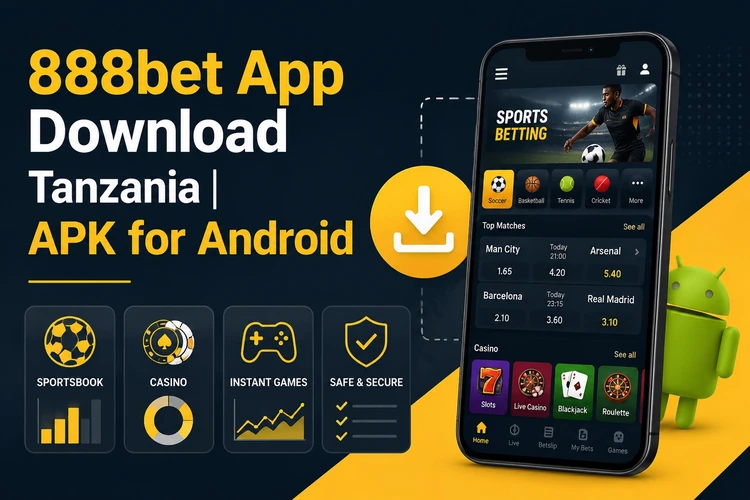
Users can sign in to an existing account, review bets, check account activity, and use available deposit or withdrawal options. The exact services shown may depend on the account and the current platform version, so review the on-screen details before confirming a transaction.
Why Download the 888bet App?
The application opens from the phone’s home screen without requiring a browser tab and is arranged for quick movement between markets. Match lists, odds, and game pages are presented in a format suited to touch controls. A stable connection is still needed for current odds and bet placement.

Notifications may show account activity, results, or other updates when the relevant settings are enabled. The app can also keep preferences such as language or odds format, although available controls vary by version and device. The casino section is available through the casino area, while Aviator can be opened separately when offered on the account.
How to Download the App
Use the download page on the official website and open it directly on the Android device that will run the application. Select the current APK download option and wait until the file has finished saving. Avoid copies shared through file-hosting pages or messages, because their contents and update status cannot be verified.
Before opening the file, check that the download completed and that your phone has enough free storage for both the installer and temporary files. If the page displays a version notice or update instruction, follow that information rather than using an older file already stored on the device.
Installing APK on Android
Open the file manager and locate the APK in Downloads. Tapping the file starts the Android installer. On some devices, Android asks for permission to install from the browser or file manager used to obtain the file. This permission is normally granted for that specific source in Settings under Security, Privacy, or Install unknown apps.
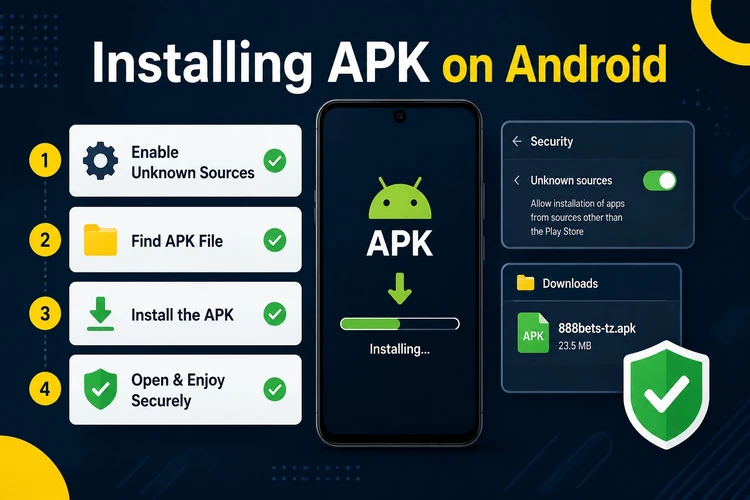
Review the requested permissions before continuing. If they appear excessive or unrelated to the application, cancel the installation and obtain a fresh file from the official source.
- Return to the APK and select Install.
- Wait for the installation to finish, then choose Open or Done.
- Launch the app and sign in through the account login page using your existing credentials.
After signing in, check that the balance, account details, and main navigation load correctly. Do not place a bet until the connection and displayed information are stable.
Features of the Mobile Application
The sportsbook includes football, basketball, tennis, volleyball, and other listed competitions. Live betting can show changing odds while an event is in progress. Users should review the market rules, selection, stake, and final confirmation screen before submitting a bet.
The application also provides access to casino games and Aviator where those sections are available. Account tools can include active bets, transaction history, balance information, and payment controls. Options shown in the interface may differ according to account status, location, and platform updates.
Some devices support quicker sign-in through biometric controls, but this depends on the phone and the app’s available settings. Notification preferences, language, display mode, and odds format can usually be adjusted from the account or application settings.
System Requirements
The listed baseline is Android 5.0 or later, although compatibility can vary with the device manufacturer and current app version. Keep sufficient free storage for the APK, installation files, and cache. A phone with more available memory will generally handle switching between markets more comfortably.
A reliable mobile-data or Wi-Fi connection is necessary for current odds, account actions, and live content. APK updates may need to be downloaded manually from the official source. Check for a newer version when the app displays an update notice, and keep Android security updates current.
App vs Mobile Browser
| Parameter | Mobile App | Mobile Website |
|---|---|---|
| Launch speed | Opens from the home screen | Requires a browser |
| Performance | Designed for the installed device | Depends on browser and connection |
| Push notifications | Available when enabled | More limited |
| Works without a browser | Yes | No |
| Interface | App-based touch layout | Responsive web layout |
| Updates | May require a new APK | Applied on the website |
| Convenience | Useful for regular access | Useful for occasional access |
The app is practical for regular use on a personal Android device. The mobile website can be preferable on a shared phone, when storage is limited, or when installing an APK is not possible.
Security Recommendations
Download only from the official website and do not install modified files advertised as faster or unlocked versions. Keep Android’s security scanning active, review permissions, and delete incomplete or duplicate APK files after installation. Never share account passwords or one-time security codes.
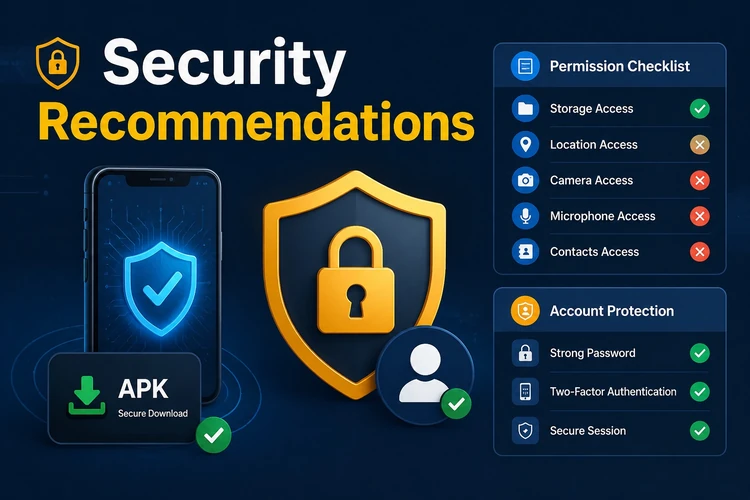
Use a unique password and sign out on devices used by other people. Avoid saving payment information on a shared device. If the phone is lost, change the account password from a trusted device and review recent account activity.
Troubleshooting
If installation fails, check the available storage and confirm that the browser or file manager has permission to install the APK. An APK that will not open may be incomplete or incompatible, so delete it and download a fresh copy. Restarting the phone can also clear a temporary installer error.
For crashes after an update, clear the app cache and restart the device before reinstalling. If login does not work, check the connection and credentials rather than repeatedly submitting the form. Reinstallation normally leaves the online account intact, but save any information needed for login before removing the app.
FAQ
Open the official website on your Android device, find the application download section, and save the current APK. After the file finishes downloading, open it from the Downloads folder and follow the Android installer.
The application file itself is free to download and install. Your mobile network may charge for data used during the download or while using the application.
Yes, the listed baseline is Android 5.0 or later. Compatibility can still vary by manufacturer, available storage, Android settings, and the current application version.
Use the official download source, keep device security scanning enabled, and review permissions before installation. Do not install modified files from unknown websites or messages.
Check the official download page when an update notice appears, download the newer APK, and install it over the existing application if Android permits. Confirm that the file is complete before opening it.
Yes, sign in with the same account credentials used on the website. If access fails, check the connection and password, then use the account recovery option or contact support through the available channel.